1.1.1.1 WARP: Your Ticket to Unimaginable BetJili Gaming Action
The 1.1.1.1 WARP is a free privacy-focused DNS resolver from Cloudflare designed for a more safe, secure, stable and extremely fast internet connection to everyone. Whether you love the online slots, are a card game lover or a betting enthusiast, the 1.1.1.1 free WARP exists to help solve all the potential headaches that might appear while you game only. Their effort to keep your gaming effortless is important.
1.1.1.1 WARP is BetJili’s Perfect Match
Fellow BetJili platform players can rest assured with the 1.1.1.1 WARP as it helps unlock, keep and make sure everything is okay and runs well. With the 1.1.1.1 WARP, players will unlock:
- Lag-free and buffer-free gameplay all time including the peak hours.
- Have full access to 2000+ games without any issues.
- No restrictions while visiting the BetJili casino platform.
If you stuck on the BetJili platform in any way, experiencing any lags, buffers or internet restriction, the 1.1.1.1 WARP will help you through these issues.
Why The 1.1.1.1 WARP Is Your Best Friend As A Gamer
- The whole setup of the 1.1.1.1 WARP is extremely simple and straightforward to follow
- The data consumption of the WARP is way more efficient than any other VPN service providers
- Helps site work well despite any internet mishaps
- Make sure the security encrypts all personal and payment details.
Final Take
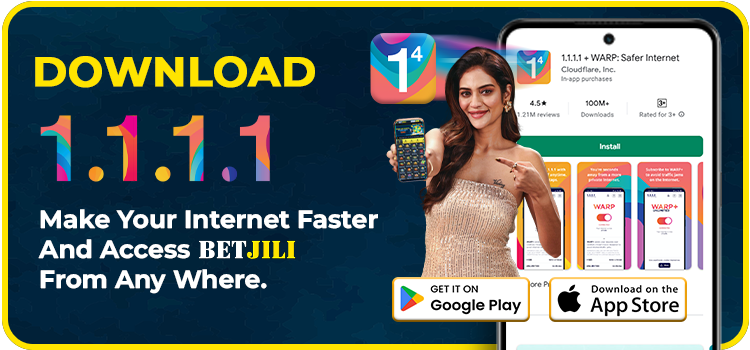
Tired of the BetJili connection failing? This 1.1.1.1 WARP will guard your gameplay. Start making deposits now, head to your favourite games, claim your desired bonuses and chat with the customer support team efficiently with the help of the 1.1.1.1 WARP. If you are ready for non-stop actions, head to our download 1.1.1.1 WARP guide to get started with the download process.
Use this guide to download and begin using the 1.1.1.1 WARP
Android Devices
➤ Launch the Google Play Store
- Search for “1.1.1.1 + WARP: Safer Internet”. Or just “ Click Here ” to open the download page of 1.1.1.1 WARP.
➤ Install the App
- Press the “Install” button. Open the application once installation finishes.
➤ Configure Initial Setup
- An initial welcome screen appears. Select “Next”. Carefully read the privacy policy, then press “Accept”.
- Choose “Install VPN Profile” on the prompt, followed by “OK.”
➤ Activate WARP
- Activate the service by toggling WARP to “Connected”.
iOS (iPhone or iPad)
➤ Open the App Store
- Find “1.1.1.1 + WARP: Safer Internet” via search. Or just “ Click Here ” to open the download page of 1.1.1.1 WARP.
➤ Install the Application
- Tap “Get” to download and install the application.
➤ Accept Permissions
- Launch the 1.1.1.1 warp app and agree to the privacy terms or conditions of service.
- Select “Install VPN Profile,” then confirm by tapping “OK.”
➤ Enable WARP
- Switch WARP to the “Connected” state to enable the connection.
Operating the 1.1.1.1 WARP
➤ Launch the App
- After installing the app, proceed as follows: Launch the 1.1.1.1 WARP application.
➤ Activate WARP Mode
- Locate the primary toggle control on the main interface.
- Press it to change from 1.1.1.1 only (basic DNS-only mode) to 1.1.1.1 with WARP.
➤ Benefits of WARP
- WARP encrypts your entire internet traffic, providing superior security and stability – essential for accessing platforms like BetJili.
➤ Confirmation & Activation
- Once the confirmation of “Your internet is private” displays on your device, it means the warp is active.
- Make sure to confirm that the key icon is actively running on your status bar to make sure that it is functioning well.
➤ Secure Access to BetJili
1.1.1.1 WARP Available For Following Devices
Common Issues When Installing the BetJili App and How to Fix Them
If you’re having trouble installing the BetJili app on your phone, here are some common issues and their solutions:
1. Compatibility Issues
- Problem: Your device may not meet the app’s minimum requirements.
- Solution: Ensure your device is running Android 5.0 or higher. If your operating system is outdated, consider updating it to meet the app’s requirements.
2. Incorrect Download Source
- Problem: You may be downloading the app from unofficial or untrusted sources.
- Solution: Make sure to download the BetJili app directly from the official link on our website or from verified affiliate sources.
3. Network Issues
- Problem: A weak or unstable internet connection may be causing installation problems.
- Solution: Check that your internet connection is stable before downloading and installing the app. If you continue to experience issues, switch to a different network and try downloading again.
Feel free to seek guidance from our Help Page. In case it doesn’t address your query, reach out to our 24/7 customer support team for additional assistance, or send us an email at support.in@betjili.com and We will contact you as soon as possible.
Here are the ways how you can find all the related information needed:
For iPhone/iPad:
- Go to Settings > General > About.
- View the details such as:
- Model Name and Number
- Software Version
- Serial Number
- IMEI Number (if needed later)
For Android Phones/Tablets:
- Go to Settings > About Phone/Tablet.
- Find information including:
- Model Number
- Android Version
- Build Number (for advanced details)
If you find that clicking on our site redirects you to a different website, you can manually correct the local DNS settings by following these simple steps:
Open Network Settings
Click the [Start] button at the bottom left of your screen.
Select [Settings] > [Network & Internet].
Click [Network and Sharing Center].
Access Network Connections
Click on [Change adapter settings].
Open Network Connection Properties
Right-click your active network connection and select [Properties] from the menu.
Modify TCP/IPv4 Settings
Choose [Internet Protocol Version 4 (TCP/IPv4)] and click [Properties].
Set DNS Server Addresses
Select [Use the following DNS server addresses].
Enter [8.8.8.8] as the Preferred DNS server.
Enter [8.8.4.4] as the Alternate DNS server.
Click [OK] to apply the changes.
If you encounter any issues with your game, please reach out to our 24/7 customer service team via live chat or email. To help us assist you more efficiently, please include the following details in your message:
Username: Your account username
Game Description: Brief description of the issue
Game Name: The name of the game you were playing
Bet ID: Your unique bet reference number
Bet Amount: The amount you wagered
Bet Time: The date and time when you placed the bet
Providing these details will help us resolve your issue as quickly as possible.